 blog
blog
Simple Gym Tracker for Beginners: Start Logging Today
Table of Contents
- Why Beginners Need a Simple Gym Tracker
- How to Start Lifting Weights Without Overcomplicating It
- Building Your First Beginner Gym Routine Template
- How Long Should a Beginner Workout Last
- How to Track Progressive Overload Effectively
- What to Log: The Core Metrics That Matter
- Staying Consistent: Building Your Tracking Habit
- Frequently Asked Questions
Last Updated: October 4, 2026
Why Beginners Need a Simple Gym Tracker
Starting a strength training program is exciting. It's also easy to get lost in the details.
Most beginners make the same mistake: they download a fitness app packed with features, get overwhelmed by options, and quit within two weeks. A simple gym tracker for beginners solves this problem by cutting away the noise and focusing on what actually matters for your first weeks in the gym.
Tracking your workouts isn't optional if you want to progress. Without logging what you did last session, you can't add weight or reps next time. That incremental improvement, doing slightly more than before, is how strength training works. It's called progressive overload, and it's the foundation of every effective program.
A simple gym tracker keeps you focused on the lifts themselves, not on navigating menus between sets.
How to Start Lifting Weights Without Overcomplicating It
You don't need a perfect routine to begin. You need a routine you'll actually follow.
Most beginners spend weeks researching the "optimal" program before ever stepping foot in a gym. This is backwards. Pick a basic routine with compound movements, squats, deadlifts, bench press, rows, and start now.
The routine itself matters far less than consistency. A mediocre program done consistently beats a perfect program done sporadically. Pick 3-4 main lifts, do them twice per week, and log every session. That's it.
Here's what makes this approach work: you build the habit first. Once logging becomes automatic, you can refine your routine based on what you've actually learned about your body and preferences.
Choosing a Tracker: Simplicity Over Features
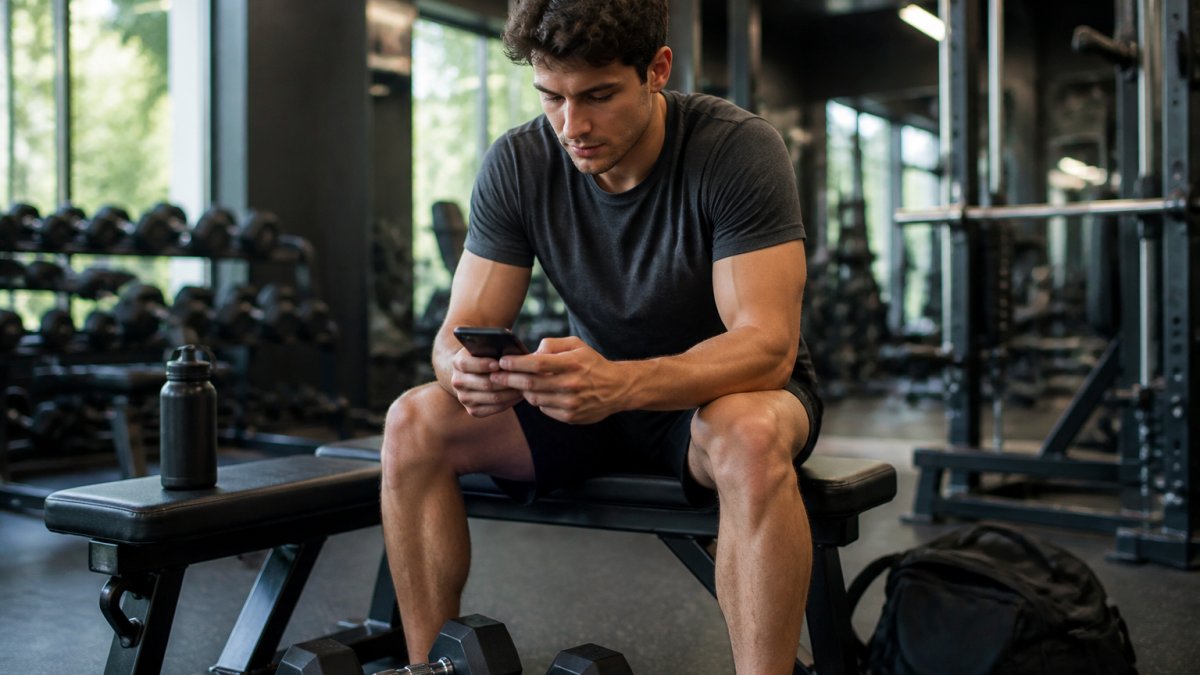
When you're choosing a tracking tool, the biggest mistake is downloading the app with the most features. Most fitness apps are built for advanced lifters and include social feeds, gamification badges, meal logging, cardio tracking, and community challenges.
A simple gym tracker for beginners should have:
- A blank workout log (exercise, weight, reps, sets, nothing else)
- A history view (see what you did last session in one tap)
- No social features (no feeds, no sharing, no leaderboards)
- No gamification (no badges, streaks, or achievement notifications)
- Offline functionality (works without internet or account creation)
If an app requires you to create an account, sync to the cloud, or connect to social media before you can log a single set, it's not built for simplicity. It's built to collect data and drive engagement metrics.
When evaluating a tracker, ask:
- Can I log a set in fewer than 15 seconds?
- Can I see my last workout's numbers without scrolling through menus?
- Does the app have a social feed or community section? (If yes, skip it.)
- Does it require an account or internet connection? (If yes, consider offline alternatives.)
- Are there notifications, badges, or streak reminders? (If yes, it's designed to distract, not to help.)
The best trackers for beginners are often the least popular ones. They don't have millions of downloads because they don't have viral features. They have loyal users because they solve one problem perfectly: logging your lifts without friction.
When you're choosing a tracking tool, speed matters. If logging takes longer than 15 seconds per set, you'll skip it. A simple gym tracker for beginners gets out of your way.
Building Your First Beginner Gym Routine Template
A beginner routine doesn't need to be complex. It needs to be sustainable.
The best template for someone starting out is a simple split: upper body and lower body, each trained twice per week. This gives you enough frequency to build the habit while allowing adequate recovery between sessions.
Here's a basic structure:
Lower Body Day:
- Squat: 3 sets of 5-8 reps
- Deadlift or leg press: 3 sets of 5-8 reps
- Leg curl or leg extension: 2 sets of 8-12 reps
Upper Body Day:
- Bench press or push-ups: 3 sets of 5-8 reps
- Rows: 3 sets of 5-8 reps
- Shoulder press: 2 sets of 8-12 reps
- Pull-ups or lat pulldown: 2 sets of 8-12 reps
This routine hits all major muscle groups and can be done with dumbbells, barbells, or machines. The specific equipment matters less than doing the movement consistently.
A customizable template in your tracking app lets you save this structure and reuse it every session. You're not rebuilding the routine each time, you're just logging the numbers. This is where a simple gym tracker shines.
How Long Should a Beginner Workout Last
Most beginner workouts should last between 45 and 60 minutes, including warm-up and cool-down.
A common mistake is thinking longer workouts equal better results. They don't. A focused 45-minute session beats an unfocused 90-minute session every time.
For a beginner, the math is simple: 5-6 exercises per session, 3 sets each, 60-90 seconds rest between sets. That's roughly 45 minutes of actual work. Add 10 minutes for warm-up and you're done.
This matters for consistency. If your workouts take two hours, you'll find reasons to skip them. If they take 45 minutes, you can fit them in even on busy days.
Track your workout duration in your logging app. Over time, you'll notice patterns: which exercises take longer, which rest periods feel right for your recovery. This data informs how you adjust your routine as you progress.
How to Track Progressive Overload Effectively
Progressive overload is the single most important concept in strength training. It means doing slightly more than last time.
"More" can mean adding weight, adding reps, or adding sets. A beginner typically adds weight every 1-2 weeks if using dumbbells or barbells. With machines or bodyweight, you add reps first.
Here's the progression pattern that works:
- Week 1: Establish your baseline (the weight you can do for your target reps)
- Week 2-3: Hit the same weight for the same reps
- Week 4: Add weight or add a rep to one of your sets
- Repeat
This is why logging is non-negotiable. You can't track progressive overload without knowing exactly what you did last time. A vague memory of "I think I did 185 pounds" doesn't work.
Your tracking app should show your training history clearly. When you open the app for today's workout, you see last week's numbers immediately. This is the core feature of any simple gym tracker for beginners, it removes friction from the most important part of training: knowing what to beat.
What to Log: The Core Metrics That Matter
You don't need to log everything. You need to log what changes.
For a beginner, these metrics are essential:
- Exercise name (what you did)
- Weight (how heavy)
- Reps (how many repetitions)
- Sets (how many sets of those reps)
That's it. You don't need to log calories, body weight, or perceived exertion. Those add friction without adding value for someone just starting out.
But there's a second decision that matters just as much: how you log these metrics, manually or through auto-detection.
Manual Logging vs. Auto-Detection
Manual logging means you type or tap in the exercise, weight, and reps yourself. This takes 10-20 seconds per set.
Auto-detection means the app uses your phone's accelerometer, or syncs with a smartwatch or connected barbell, to automatically record reps and sometimes weight.
For beginners, manual logging is usually the better choice, even though it sounds slower:
- Builds body awareness. Manually recording forces you to pay attention to what you just did. You're conscious of the weight, the reps, the effort. This awareness is part of the learning process.
- Works with any equipment. Auto-detection only works with connected devices (smart barbells, certain dumbbells, or wearables). Most beginners use standard dumbbells, barbells, or machines that don't have sensors. Manual logging works everywhere.
- Removes dependency on battery and connectivity. A smartwatch dies, Bluetooth drops, or the app loses sync. Manual logging never fails.
- Keeps you off your phone during rest. If your tracker requires you to open an app and tap buttons, you're still engaged with the workout. If it auto-detects, you might scroll social media instead of resting properly.
Auto-detection shines only if you're using connected equipment and want to track additional metrics like rep speed or range of motion, neither of which matters for a beginner.
Some beginners get tempted to log "pump," "difficulty," or other subjective metrics. This creates busy work. Your numbers tell the story. If you're adding weight week after week, you're making progress. If you're stalled, you're not.
A simple gym tracker for beginners focuses on these four metrics and nothing else, logged manually so you stay present. The result is a workout log you'll actually fill out, not one you abandon after three sessions because it's too complicated.
| Metric | Why Track It | What It Tells You |
|---|---|---|
| Exercise | Know what you did | Consistency across sessions |
| Weight | Know how heavy | Progressive overload tracking |
| Reps | Know the volume | Strength and endurance progress |
| Sets | Know total volume | Training load and recovery needs |
Staying Consistent: Building Your Tracking Habit
Consistency beats perfection. A beginner who logs 80% of workouts for six months beats a beginner who logs 100% of workouts for two weeks.
The habit sticks when logging takes less than 30 seconds per workout. If you're spending five minutes entering data, you'll skip sessions.
Start by logging immediately after your workout, while numbers are fresh. Don't wait until evening or the next day. The friction of remembering exact weights and reps makes you more likely to skip it.
After two weeks of consistent logging, you'll notice something: you start anticipating what numbers you need to hit. Your brain is now tracking your progress automatically.
Here's what makes tracking stick: seeing your own data improve. When you open your app and see you did 10 reps last week and 12 reps this week, that's immediate feedback. It's proof that effort works.
Frequently Asked Questions
Do I really need an app to track my gym workouts?
A simple gym tracker removes guesswork from your training. Without logging, you won't know if you've actually increased weight or reps, the two drivers of strength gains. Writing in a notebook works, but an app is faster during rest periods and automatically stores your history. A tracker keeps you honest about progressive overload, which is what separates progress from wasted sessions.
What features should a beginner look for in a gym tracker?
Focus on four essentials: a clean interface that doesn't distract you mid-workout, the ability to log sets, reps, and weight quickly, an exercise library so you don't have to remember names, and a way to see your personal records over time. Avoid apps packed with social features, gamification, or complex analytics, they slow you down. Simplicity is speed, and speed means you'll actually use it.
How do I start tracking my progress in the gym?
Log three things after each set: the exercise name, the weight you lifted, and how many reps you completed. That's it. Do this consistently for 4-6 weeks, and you'll see patterns, where you're getting stronger, where you're plateauing, which exercises feel right. A simple gym tracker makes this automatic. Review your logs weekly to spot trends and decide when to increase weight or volume.
What's the difference between a simple tracker and feature-heavy fitness apps?
Feature-heavy apps try to do everything: nutrition tracking, social challenges, AI coaching, video libraries. That complexity means slower logging and distraction during your workout. A simple gym tracker does one thing well: capture your sets, reps, and weight with minimal friction. You get the core data you need for strength training without the noise. For beginners especially, speed and consistency beat advanced features.
Tracking your strength training progress doesn't require a complicated app or a detailed routine. A simple gym tracker for beginners removes the barriers that stop most people from starting. LiTRe Workout Tracker gives you exactly what you need: a clean interface to log your exercises, weight, and reps, then get back to your lifts. The best tracking tool is the one you'll actually use. Start logging today, focus on progressive overload, and let your numbers tell the story of your progress.