 blog
blog
Simple Gym App With Charts: A 2026 Guide
Table of Contents
- What Makes a Simple Gym App Actually Work
- Why a Minimalist Workout Tracker Beats Bloated Fitness Apps
- How to Track Gym Progress With Charts Without the Complexity
- Best Gym Logging Methods for People Who Hate Phones
- Key Features Your Simple Gym App With Charts Must Have
- Data Privacy, Offline Access, and Long-Term Portability
- Getting Started: From Your First Lift to Tracking Real Progress
- Frequently Asked Questions
Last Updated: October 2, 2026
What Makes a Simple Gym App Actually Work
A simple gym app with charts succeeds when it removes friction between you and logging your workout. Most fitness apps fail because they prioritize features over speed. You're mid-set, breathing hard, and the last thing you want is a cluttered interface with 15 options you'll never use.
The best apps get out of your way. They let you log a set in under 10 seconds, then display your progress in a way that actually motivates you to come back. That's the difference between an app you use for three months and one that becomes part of your routine for years.
A minimalist workout tracker doesn't mean lacking features. It means every feature serves a clear purpose, and nothing distracts you from what matters: lifting heavy things and proving you're getting stronger.
Why a Minimalist Workout Tracker Beats Bloated Fitness Apps
Bloated apps promise everything and deliver frustration. You open them to log a squat and suddenly you're navigating nutrition tracking, social feeds, and ads for premium features you don't need.
A minimalist approach cuts through the noise. When you open the app, you see exactly what you need: your workout template, a timer, and a place to enter your sets and reps. The best gym logging methods for people who hate phones share this trait: they prioritize speed and clarity.
Here's what matters in practice. If logging a set takes 15 seconds with one app and 45 seconds with another, that's a difference of 5-10 minutes per workout. Over a year, that's hours wasted navigating menus instead of resting between sets. A simple gym app with charts respects your time during the session, then rewards your consistency with clear progress visualization afterward.
Simplicity isn't a limitation, it's a feature that actually drives results.
How to Track Gym Progress With Charts Without the Complexity
The ideal approach combines three elements: fast data entry, meaningful visualization, and historical context.
Start by logging every set you perform. Write down the exercise, weight, reps, and how the set felt. Don't overthink it. The best gym logging methods for people who hate phones work because they strip away analysis paralysis. You log, you move on, you lift.
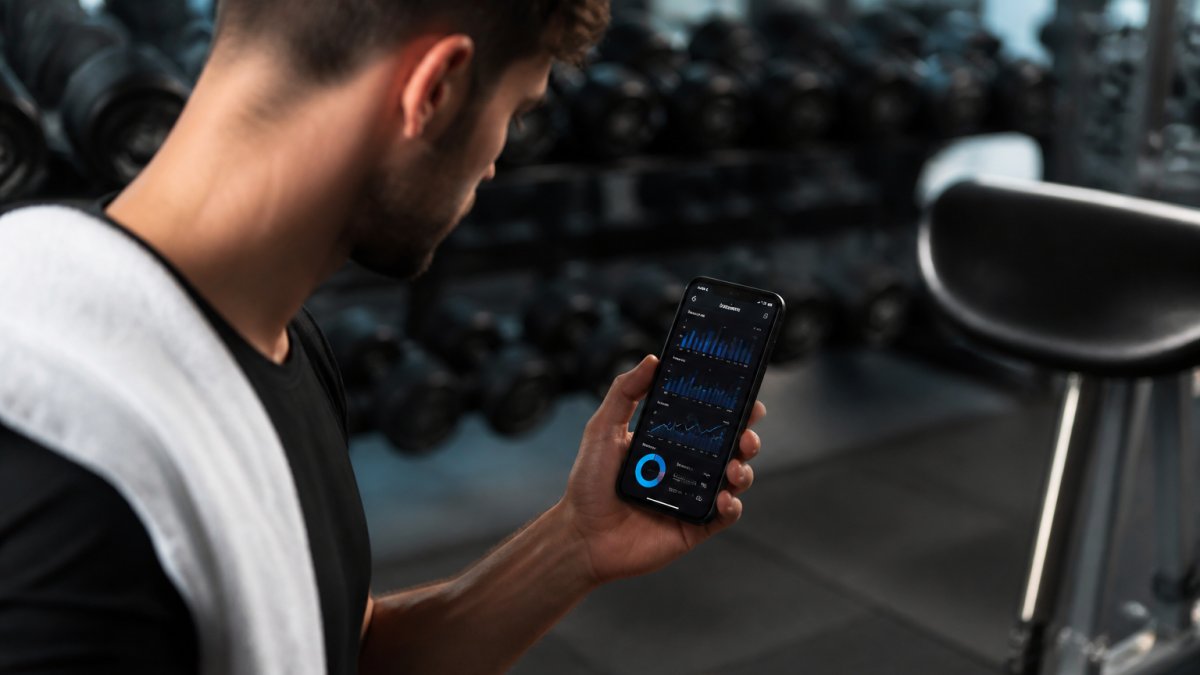
Once you have data from 4-6 weeks, charts become useful. A simple gym app with charts should show you trends over time: Are your lifts going up? Are you hitting more reps at the same weight? Is your training volume increasing? These questions matter. Generic progress visualization doesn't.
The best charts answer specific questions:
- How much heavier are you lifting compared to last month?
- Are you hitting your target rep range consistently?
- Which exercises show the strongest upward trend?
- How many total reps did you perform this week versus last week?
Don't obsess over perfect data entry. A workout logged is better than a perfect workout never recorded. The app should make it easy to correct entries later if you realize you miscounted, but during the session, speed wins.
Best Gym Logging Methods for People Who Hate Phones
Not everyone wants to stare at a screen between sets. Some lifters prefer pen and paper or minimal phone interaction. Both approaches work, but they have different tradeoffs.
Paper logs are fast and distraction-free. You write down the exercise, weight, and reps, then put the notebook away. No notifications, no temptation to check social media, no battery concerns. The downside: charts require manual transcription or photography later.
Phone-based logging with a minimalist app splits the difference. A simple gym app with charts keeps the phone interaction brief, just enough to log the set quickly, then you can put it away. The app handles chart generation automatically. You get the speed of paper logging with the convenience of automatic progress visualization.
The hybrid approach works too. Some lifters use paper during the session, then input data into an app afterward for chart generation. This takes slightly longer but gives you the best of both worlds: distraction-free training and automatic analytics.
What matters most is consistency. Whichever method you choose, use it every session. A simple gym app with charts won't help if you log sporadically. The charts only become meaningful once you have weeks of continuous data to reveal trends.
Key Features Your Simple Gym App With Charts Must Have
A minimalist workout tracker needs these core capabilities:
Exercise library. The app should include common lifts, squats, deadlifts, bench press, rows, overhead press, and let you add custom exercises. You shouldn't need to type "Barbell Back Squat" every session. Select from a list, adjust weight and reps, move on.
Set and rep tracking. Log each set individually: weight, reps completed, and optionally how the set felt (easy, moderate, hard, failed). This granularity matters for understanding your performance over time.
Rest timer. A built-in timer between sets keeps you honest about rest periods and speeds up your workout. The best apps let you customize rest duration by exercise.
Progress charts. Visualize your lift history over weeks and months. Charts should show weight progression, rep progression, and training volume trends. These reveal whether you're actually getting stronger or just going through the motions.
Workout templates. Save your routine so you don't reinvent it every session. A simple gym app with charts should let you create a template, then reuse it for each workout. Logging becomes: select template, fill in weights and reps, done.
Wearable device integration. This is where most simple gym apps fall short, but it's increasingly important. Your app should sync with smartwatches (Apple Watch, Wear OS), fitness trackers (Fitbit, Garmin), and heart rate monitors to capture heart rate data, calories burned, and recovery metrics alongside your strength data. This gives you a complete picture: not just "I lifted 225 lbs for 5 reps," but also "my heart rate hit 165 bpm during that set" and "my recovery score suggests I'm ready for heavy volume today." The best apps pull this data automatically without requiring manual entry, so you get holistic health insights without extra friction. If the app doesn't support wearable sync, you're missing real-time feedback that can improve training decisions.
Data export. You should own your data. The app should let you export your lift history, ideally in a format you can import elsewhere if you ever switch apps. This addresses a real concern: you don't want to invest months logging workouts in an app that disappears.
Data Privacy, Offline Access, and Long-Term Portability
Your workout data is personal. You should know where it lives and who can see it.
A simple gym app with charts should work offline. You don't always have a strong internet connection at the gym. The app should let you log sets locally, then sync to the cloud when you're back online. This prevents data loss and ensures you can train even if WiFi is down.
Privacy matters too. Your lift history, body measurements, and training patterns are sensitive information. The app should clearly state what data it collects, how it's stored, and whether it's shared with third parties.
Long-term portability is critical. You should be able to export your entire lift history, every set, every date, every weight, in a standard format (CSV or JSON). This protects you if the app shuts down or you decide to switch platforms.
Getting Started: From Your First Lift to Tracking Real Progress
If you're brand new to lifting, the terminology and structure can feel overwhelming. A simple gym app with charts should make this easier, not harder.
Understand the basic terminology. Before you log your first set, know what you're tracking:
- Set: A group of consecutive repetitions of an exercise.
- Rep (repetition): One complete movement of an exercise. If you do 5 squats, that's 5 reps.
- Weight: The amount of load you're lifting, measured in pounds or kilograms.
- RPE (Rate of Perceived Exertion): How hard the set felt on a scale of 1-10. This is optional but useful for beginners to understand their effort level.
Frequently Asked Questions
What features should a simple gym app with charts actually include?
A functional simple gym app with charts needs set and rep tracking, a basic exercise library, rest timer, and progress visualization. It should log lift history, calculate one-rep max estimates, and display training volume trends. The interface should let you log a complete set in under 10 seconds. Charts matter most for showing personal records, body part measurements, and strength progression over weeks or months.
Why should I use a minimalist workout tracker instead of a comprehensive fitness app?
Minimalist workout trackers eliminate distractions and focus on what matters: logging your lifts and tracking progress. Complex apps overwhelm beginners with nutrition tracking, social features, and algorithm-driven workouts. A minimalist design means faster data entry during rest periods, clearer performance analytics, and fewer reasons to abandon logging. You stay focused on the workout, not navigating menus.
How can I track gym progress with charts if I don't like using my phone during workouts?
Use a hybrid approach: log workouts on paper or a simple notebook during your session, then transfer data to your app afterward. Alternatively, choose an app with offline functionality so you can log between sets without network delays, then sync when convenient. This keeps your phone out of your hand while maintaining accurate digital records.
What happens to my workout data if I switch apps or the app gets discontinued?
Look for apps that offer data export, typically as CSV or JSON files you can download and store. This protects your lift history, personal records, and progress charts from being locked in. Data portability matters most for lifters investing months or years into consistent logging.